A JSON Editor Built For Localization
Introducing a more efficient way to edit your translations. An editor built with localization in mind. Enhanced search, language tabs with persistent key selection, smart filters, and keyboard shortcuts make modifying your language files a breeze.
A more intuitive way to search
Search across keys, source text, and translations - No more Ctrl+F hunting through large JSON files.
Filter by what matters
Focus on missing, outdated, or changed keys - Find what you care about, fast.
Work faster with hotkeys
Navigate keys, switch tabs, and edit translations with hotkeys.
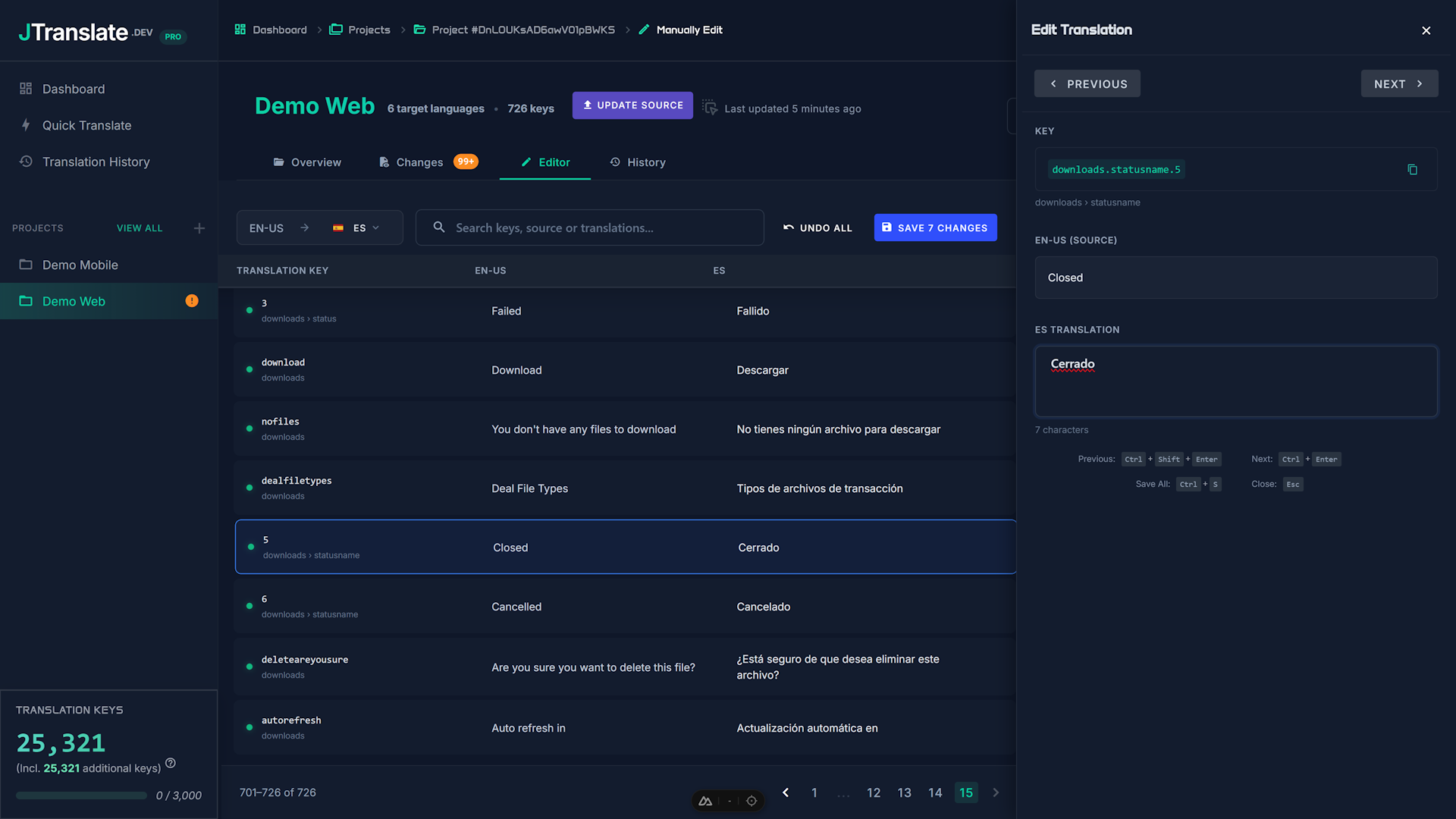
The JSON web editor that cares about localization
Many online JSON editors are generic and don't understand localization workflows. Our JSON web editor is tailored towards translation maintenance: you can find keys quickly, filter by translation status, and keep your locale files clean and consistent over time.
A more efficient editing workflow
When editing translations locally, most of your time is spent on searching for what actually needs attention. Our editor streamlines that process with smart search, status filters, and bulk actions.
Search-first workflow
Find keys by name or value, both in the target language or the source, jump straight to the entry you need to edit.
Status-based filtering
Filter by what needs attention (missing, outdated, or changed keys).
Keyboard-friendly editing
Move through entries and across languages quickly and intuitively.
Bulk actions
Bulk actions make it easy to mark one or more keys as OK, or clear translations that need retranslating - actions that adapt to each key's state.
Related features
Most teams pair the editor with change detection (to find what needs work) and the CLI (to sync updates back into the repo).
Start with 500 free translation keys
Try it free now, then upgrade any time for projects, change detection, CLI sync, and more.