Localization Done Smarter, Managed Better
Projects keep translations organized and unlock a suite of localization tools. Update your source on any change, track changes over time, and keep on top of your target languages with ease.
Change detection built-in
Track source changes and keep targets aligned as your app evolves.
History & auditing
See what changed, when it changed, and recover previous versions.
A toolkit for maintenance
Editor, CLI, and workflows designed for ongoing work - not one-off translations.
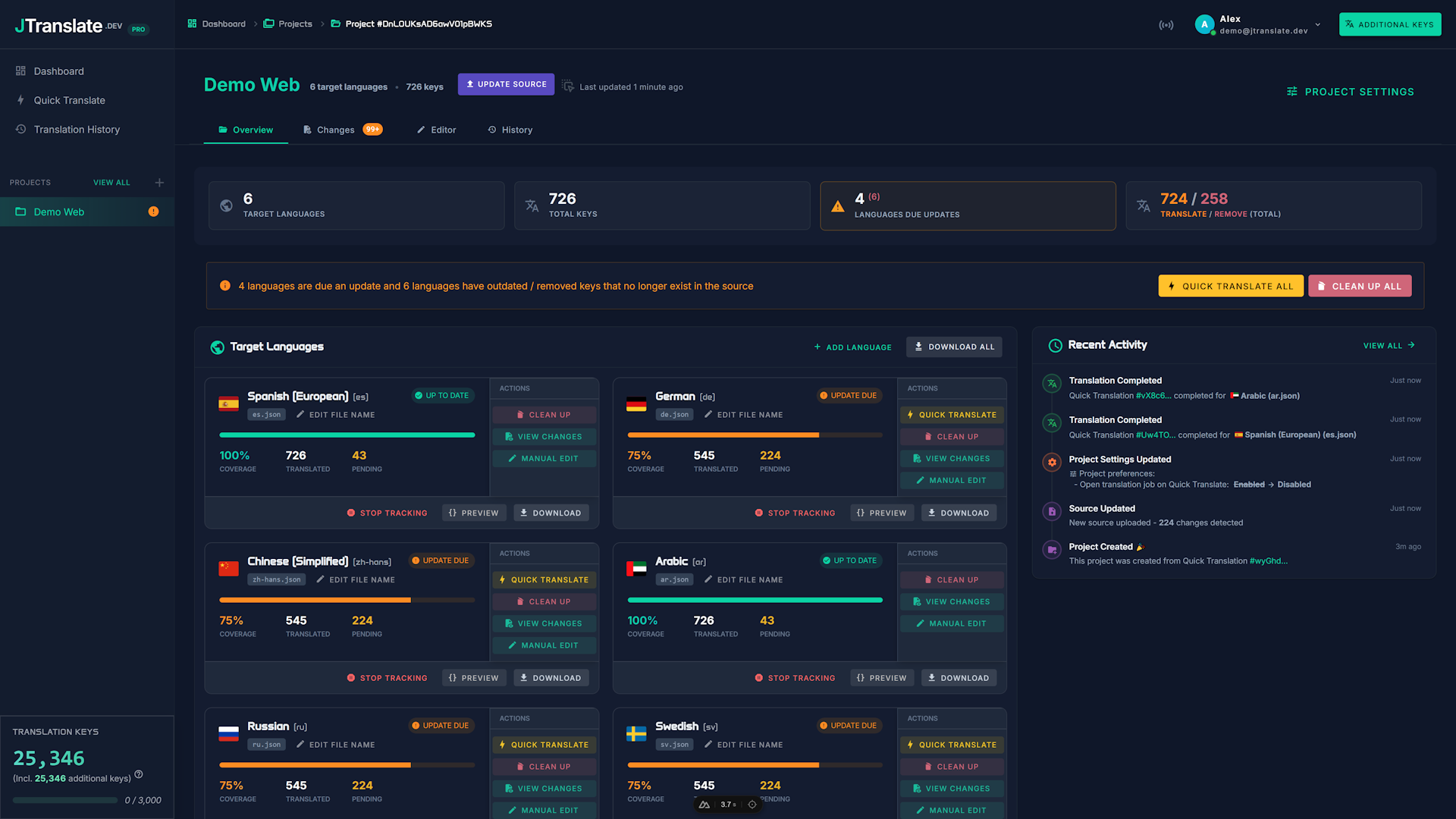
Localization Management Made Easy
Projects are designed for real applications where strings change constantly. Organize your translations, track updates, and effortlessly maintain translation consistency against your source over time.
From one-off translation to ongoing maintenance
If you only translate once, a one-off tool can be enough. But most apps change weekly, even daily - and projects are what keep your translations manageable, and always in sync, when the source never stops moving.
Create a project
Start from scratch with a fresh Quick Translation, or create a new project manually and use your existing translations.
Change detection keeps you on track
When your source changes, projects make it obvious exactly which target languages require attention - no spreadsheets or manual diffing.
Effortlessly bring your targets up to date
With projects you can easily identify and clean up outdated keys as well as any newly added or modified ones. Projects are full of useful tools designed to keep your translations in sync as effortlessly as possible.
A predictable workflow you can repeat whenever you need to
A good i18n process is boring in the best way.
- 1
Upload your updated source
When UI text changes are made in your app, re-upload the source file to the project to trigger change detection.
- 2
Update whatever changed
Now that you can see clearly the difference, use either Quick Translate or the web editor to bring your languages up to date.
- 3
Sync everything back to your repo
Once all your target languages are up to date, either use the JTranslate CLI to pull the latest changes or download the files manually.
Related features
Read more about what makes projects so powerful.
Start with 500 free translation keys
Try it free now, then upgrade any time for projects, change detection, CLI sync, and more.